Connect and rotate API services
Choose an organization-owned provider, obtain the minimum credentials, configure callbacks or webhooks, test, and rotate safely.
Who can do this
Organization Owner or Organization Admin
Primary route
/settings/organization/api-services
Last verified
4 August 2026
- Administrator access to the provider’s official console
- A sandbox account where the provider supports one
- A named credential owner and rotation date
01
Choose the correct credential scope
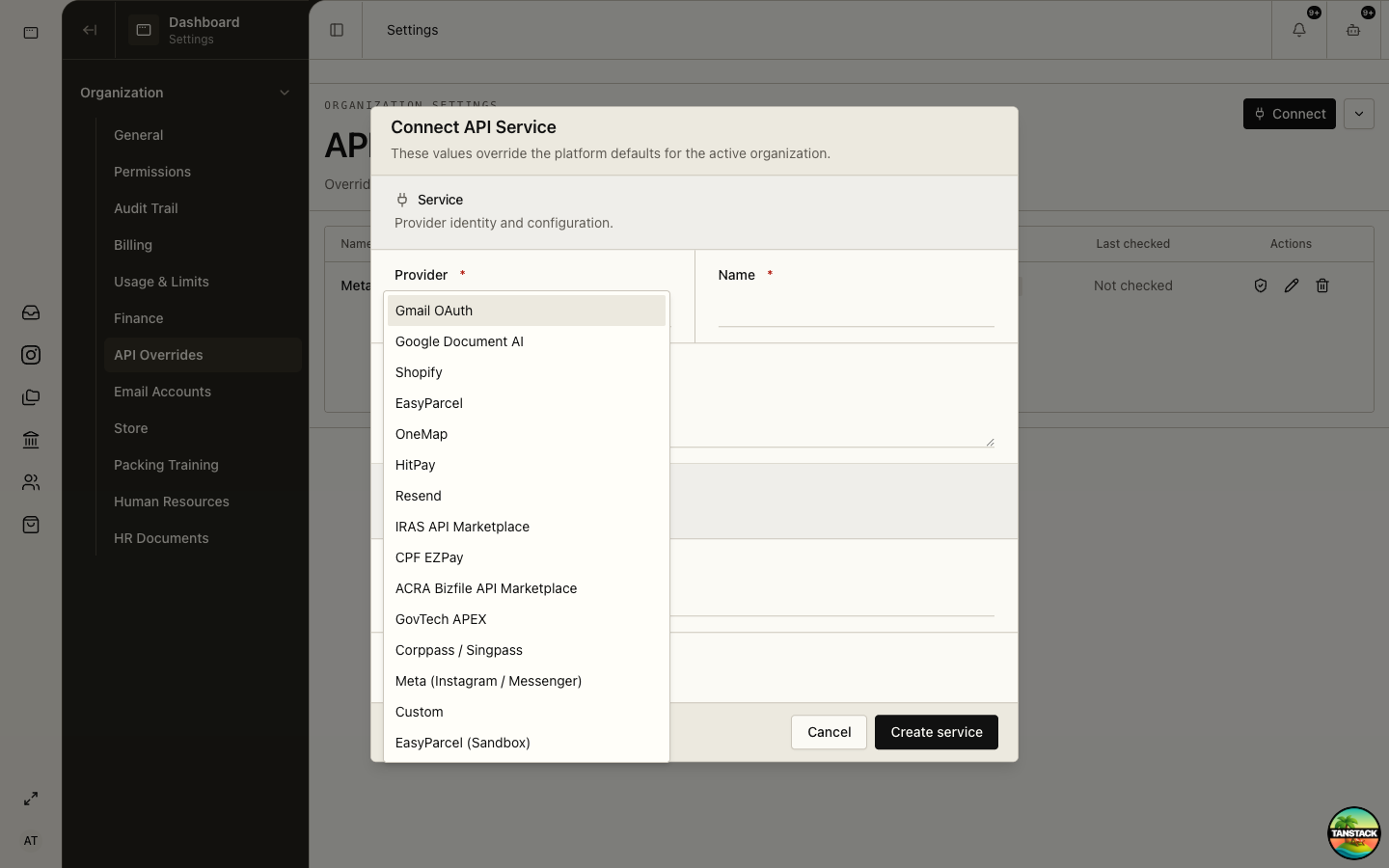
Organization API Overrides contains tenant-owned connections. Shared AI and infrastructure providers are platform-managed; do not create tenant copies unless the product explicitly offers that provider in this selector.
- Business connections include Gmail, Google Document AI, Shopify, EasyParcel, OneMap, HitPay, Resend, IRAS, CPF EZPay, ACRA, GovTech APEX, Corppass, Meta, and Custom.
- A provider shown in the organization selector is eligible for tenant configuration; a provider absent from it is not.
02
Obtain credentials from the official provider
Create a dedicated application or integration for this platform. Avoid personal tokens and broad account-owner keys.
- Open the provider’s official developer or administration console.
- Create a dedicated sandbox application first when available.
- Grant only required scopes and restrict allowed origins, IPs, or resources where supported.
- Copy the callback or webhook URL shown by the connection dialog exactly.
- Store the secret only in the platform form; keep ownership and expiry metadata in your credential register without copying the secret.
03
Connect and test
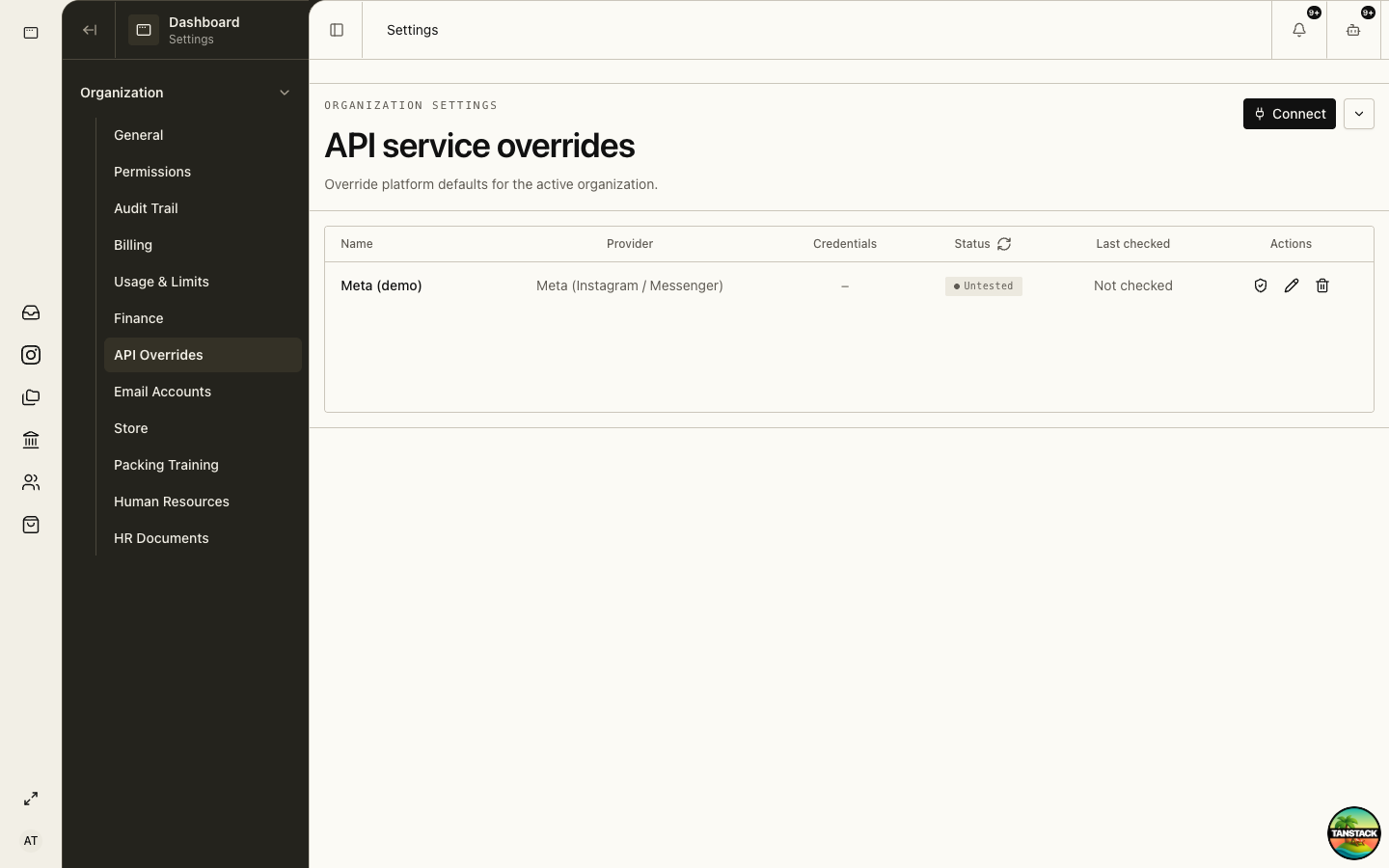
Open Settings → Organization → API Overrides and select Connect.
- Select the provider and give the connection a recognizable name.
- Complete public configuration fields such as domain, base URL, environment, sender, or account country.
- Paste secret fields such as API key, client secret, signing key, or webhook secret.
- Create the service and run Test connection.
- Resolve unhealthy or untested status before enabling production workflows.
Expected result: The service row shows the expected provider, masked credentials, healthy status, and a recent test time.
04
Register callbacks and webhooks
OAuth callbacks complete authorization; webhooks deliver provider events. They are different controls and may use different secrets.
- Copy the callback URL from the provider form without changing its scheme, host, path, or trailing slash.
- Subscribe only to the webhook topics listed by the platform form.
- Store the signing or verification secret in its dedicated secret field.
- Send a provider test event and confirm the service remains healthy.
05
Rotate without downtime
Use overlap: create the replacement before revoking the credential currently in service.
- Create the replacement credential at the provider.
- Edit the platform connection and save the new value.
- Run the connection test and one non-destructive sandbox workflow.
- Revoke the old credential at the provider.
- Record the rotation, owner, and next review in the audit process.
Deleting a service row is not the same as revoking the provider credential. Complete both sides during decommissioning.
Troubleshooting
- 401/invalid credential: check environment, copied value, expiry, and whether the secret was rotated at the provider.
- 403/insufficient scope: add only the missing provider permission, then retest.
- OAuth redirect mismatch: compare the full callback URL character-for-character.
- Webhook verification fails: confirm the correct environment-specific signing secret and topic selection.