
Use every Finance control workspace
Know when to use Contacts, Sales Invoices, Purchases, Chart of Accounts, Cash Accounts, Reconciliation, Reports, filings, and Close.
Who can do this
Finance manager or organization admin
Primary route
/finance
Last verified
4 August 2026
01
Maintain controlled master data
Contacts holds customers and vendors; Chart of Accounts controls classification; Cash Accounts links banks, wallets, cards, and payment providers to an entity.
- Search before creating a contact or account.
- Use legal name, tax identity, payment terms, and risk flags where applicable.
- Keep account purpose clear and avoid near-duplicate ledger accounts.
- Deactivate obsolete records instead of repurposing their history.
02
Run receivables and payables
Sales Invoices supports draft, approval, sequential issuance, and delivery. Purchases supports supplier bills and expenses with maker-checker posting.
- A draft is editable but not issued or posted.
- Approval confirms evidence and accounting treatment.
- Issuance creates the customer-facing invoice identity.
- Payment and settlement are separate from approval.
03
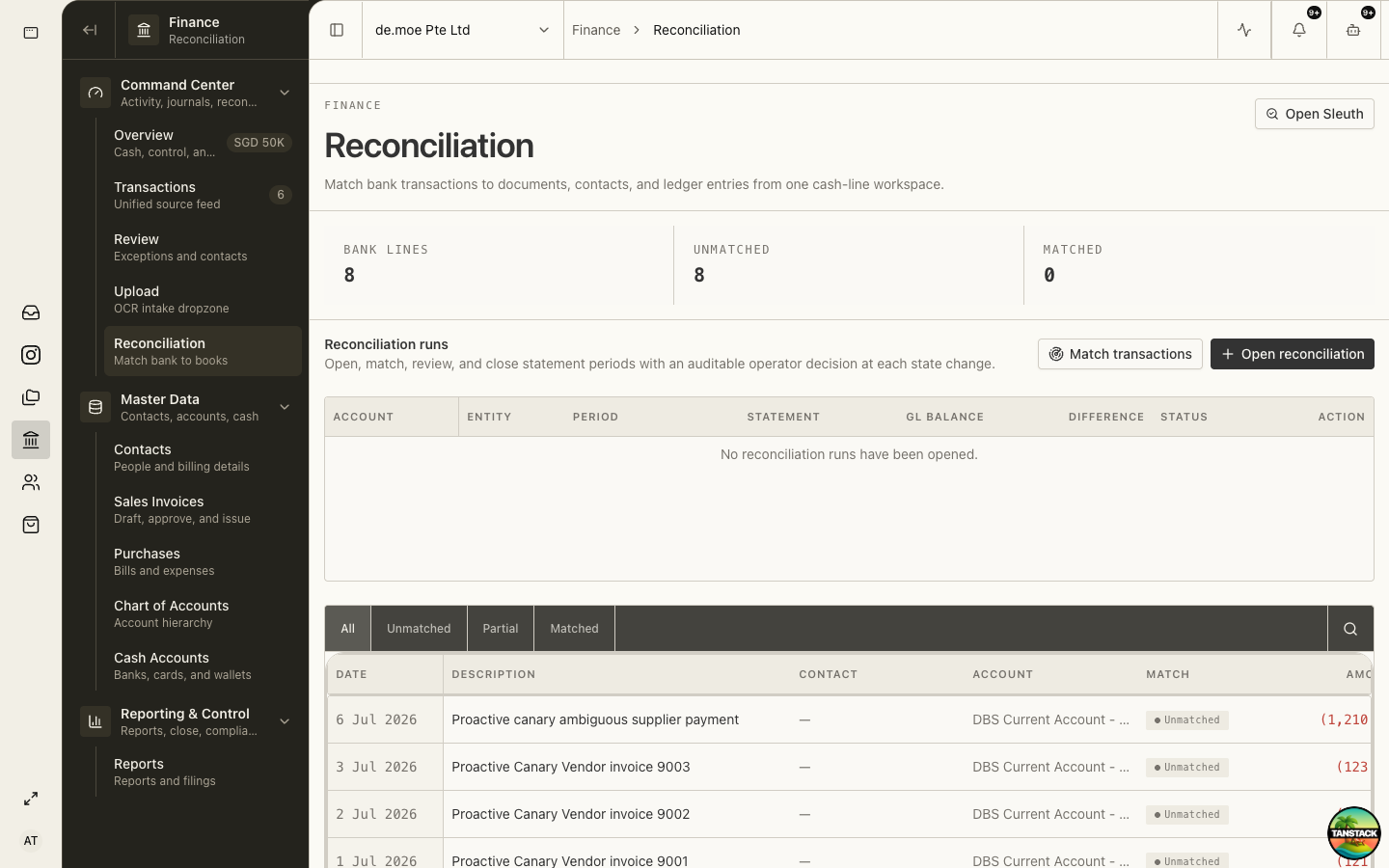
Reconcile cash activity
Match each bank line to the document, contact, and ledger entry that explains it. Leave genuine timing differences open with a reason.
- Select the cash account and period.
- Review unmatched bank lines.
- Open the candidate source evidence.
- Match only when amount, date, counterparty, currency, and business purpose are credible.
- Review remaining exceptions before declaring the period reconciled.
04
Read reports with scope and date awareness
Before relying on a report, confirm entity, period, currency, accounting basis, data-health warnings, and whether the period is still open.
05
Prepare statutory workspaces
GST, Filings, Corporate Tax, and Statutory Pack turn ledger facts into reviewable workpapers and frozen submission drafts. The authorized filer still submits through the official service.
06
Close only after dependencies clear
Complete bank reconciliation, receivables, payables, payroll posting, tax review, exceptions, and supporting schedules before locking the period.
Expected result: The closed period has reconciled balances, reviewed exceptions, complete evidence, and a reproducible accountant pack.
Troubleshooting
- A report changes unexpectedly: confirm late postings, filters, entity, and whether the period was reopened.
- Reconciliation cannot reach zero: investigate timing, duplicates, missing statements, fees, transfers, and opening balances.
- A filing draft differs from official portal values: stop submission and reconcile the source period and workpaper.