
Configure the Finance foundation
Complete organization identity, entity accounting policy, tax setup, chart of accounts, cash accounts, and control ownership before live imports.
Who can do this
Organization Admin with Finance configuration access
Primary route
/settings/organization/finance
Last verified
4 August 2026
- Financial year end, reporting currency, accounting basis, and GST status
- Opening trial balance and chart of accounts
- Bank account details and cutover date
- Named preparer, reviewer, approver, and posting authority
01
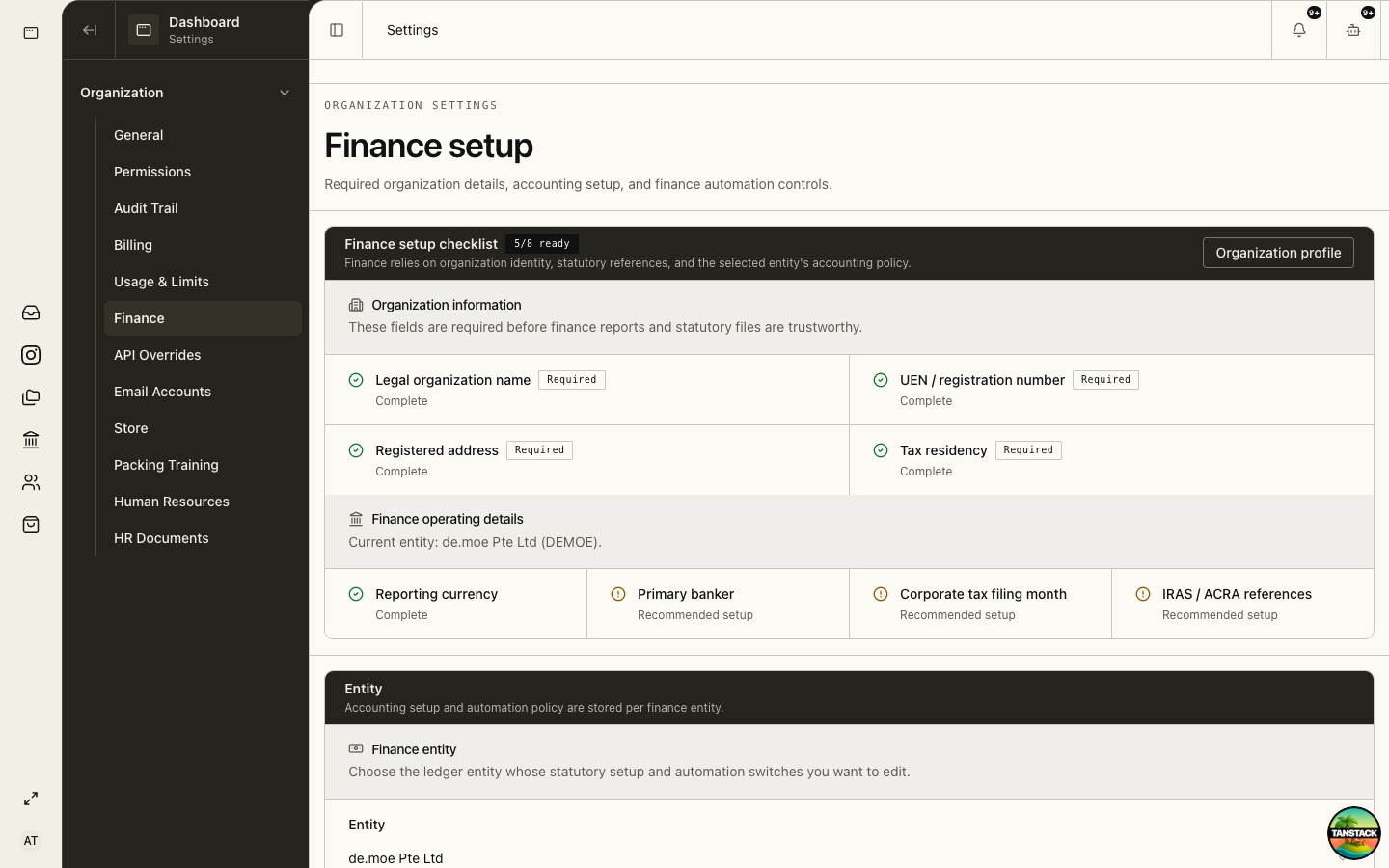
Clear the Finance setup checklist
The checklist combines organization identity with the selected finance entity’s accounting policy. Complete required items before importing statements or relying on reports.
- Open Settings → Organization → Finance.
- Resolve missing legal name, UEN, registered address, and tax residency through Organization Profile.
- Select the Finance entity you intend to configure.
- Complete reporting currency, financial year, tax and GST settings, and agency references.
- Confirm the setup state before enabling statement import.
02
Prepare master data
Finance accuracy depends on stable contacts, accounts, tax codes, and cash accounts.
- Open Finance → Contacts and deduplicate customers and suppliers.
- Review Finance → Chart of Accounts and map opening balances.
- Create Finance → Cash Accounts for each bank, card, or wallet.
- Confirm GST codes and whether the entity is registered, exempt, or outside scope.
- Document any mapping from the prior accounting system.
03
Define maker-checker controls
A preparer may draft and submit a bill or expense, but a different authorized person should approve before posting.
- Draft: editable preparation state.
- Review: source evidence and coding are checked.
- Approve: an authorized different user accepts the transaction.
- Post: the approved transaction creates immutable ledger impact.
- Correct: reverse and replace posted entries; never rewrite history.
04
Perform a controlled cutover
Use a representative sample before importing the full history.
- Process one sales invoice, purchase, expense, bank transaction, and GST-coded item.
- Reconcile them to supporting documents and bank evidence.
- Compare trial balance and open receivables/payables with the former system.
- Agree the system-of-record date and stop duplicate entry after cutover.
Expected result: Finance Overview and reports agree with the approved opening position and the team can complete the maker-checker path.
Troubleshooting
- Statement import is blocked: return to the setup checklist and complete required entity fields.
- Reports disagree: check entity selection, reporting period, opening balances, and posting status.
- A user can prepare but not approve: verify Finance page grants and separation-of-duties rules.