
Operate Finance, reconciliation, and close
Run document intake, review exceptions, post with evidence, reconcile cash, correct safely, and prepare GST and close outputs.
Who can do this
Finance operator, reviewer, approver, or Organization Admin
Primary route
/finance
Last verified
4 August 2026
- Finance setup marked ready
- A documented approval matrix
- Source documents and bank statements for the period
01
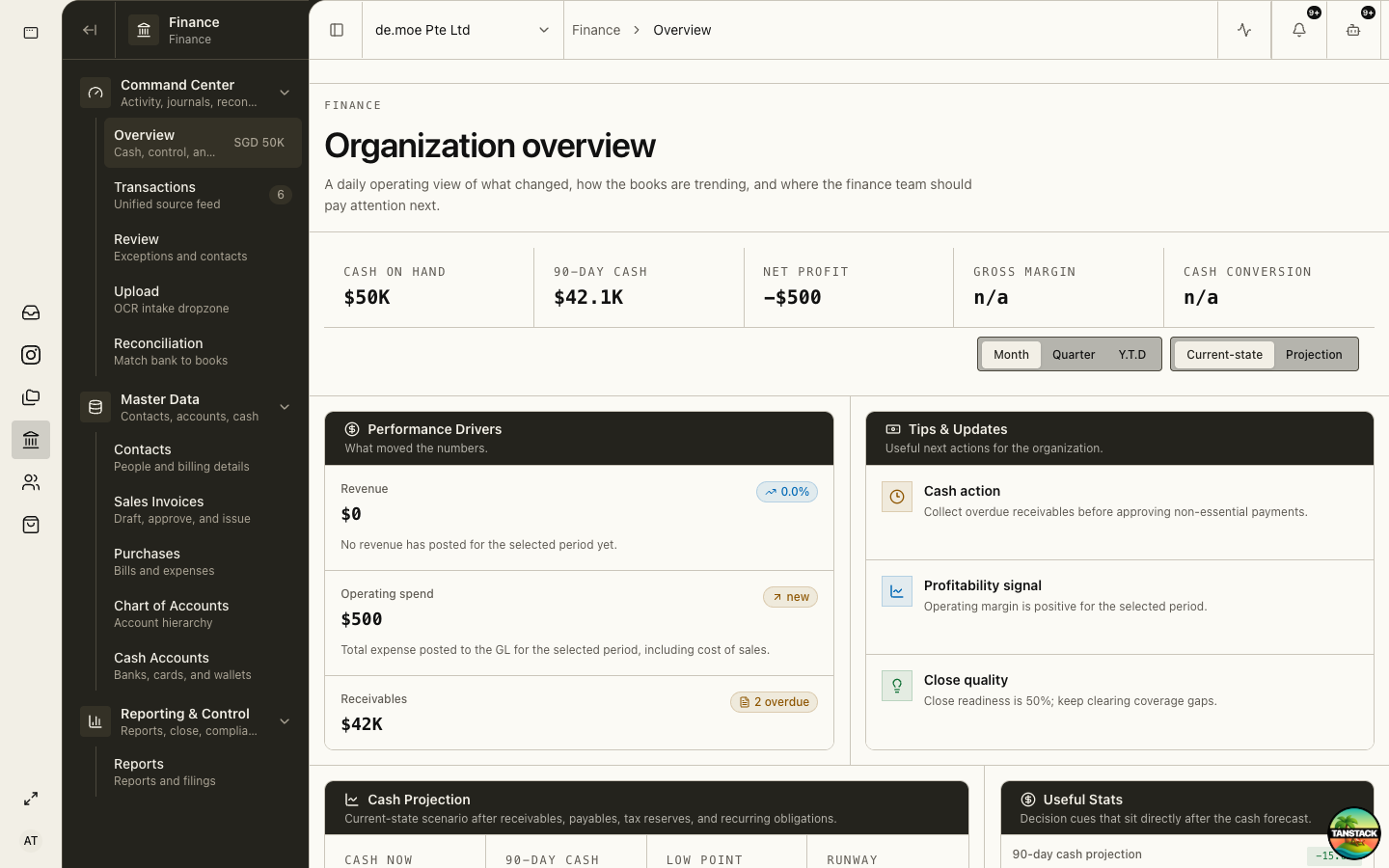
Use Finance Overview as the command center
Overview surfaces cash, receivables, operating spend, close quality, and action signals. Use it to decide which queue needs attention, not as a substitute for the underlying ledger evidence.
02
Process document intake
Upload is an extraction workflow, not automatic accounting truth.
- Open Finance → Upload and add the source file.
- Wait for OCR/extraction and open the generated intake job.
- Compare supplier/customer, date, currency, totals, tax, and line coding with the original document.
- Resolve duplicates and missing contacts before submitting for review.
- Keep the original document attached to the resulting record.
03
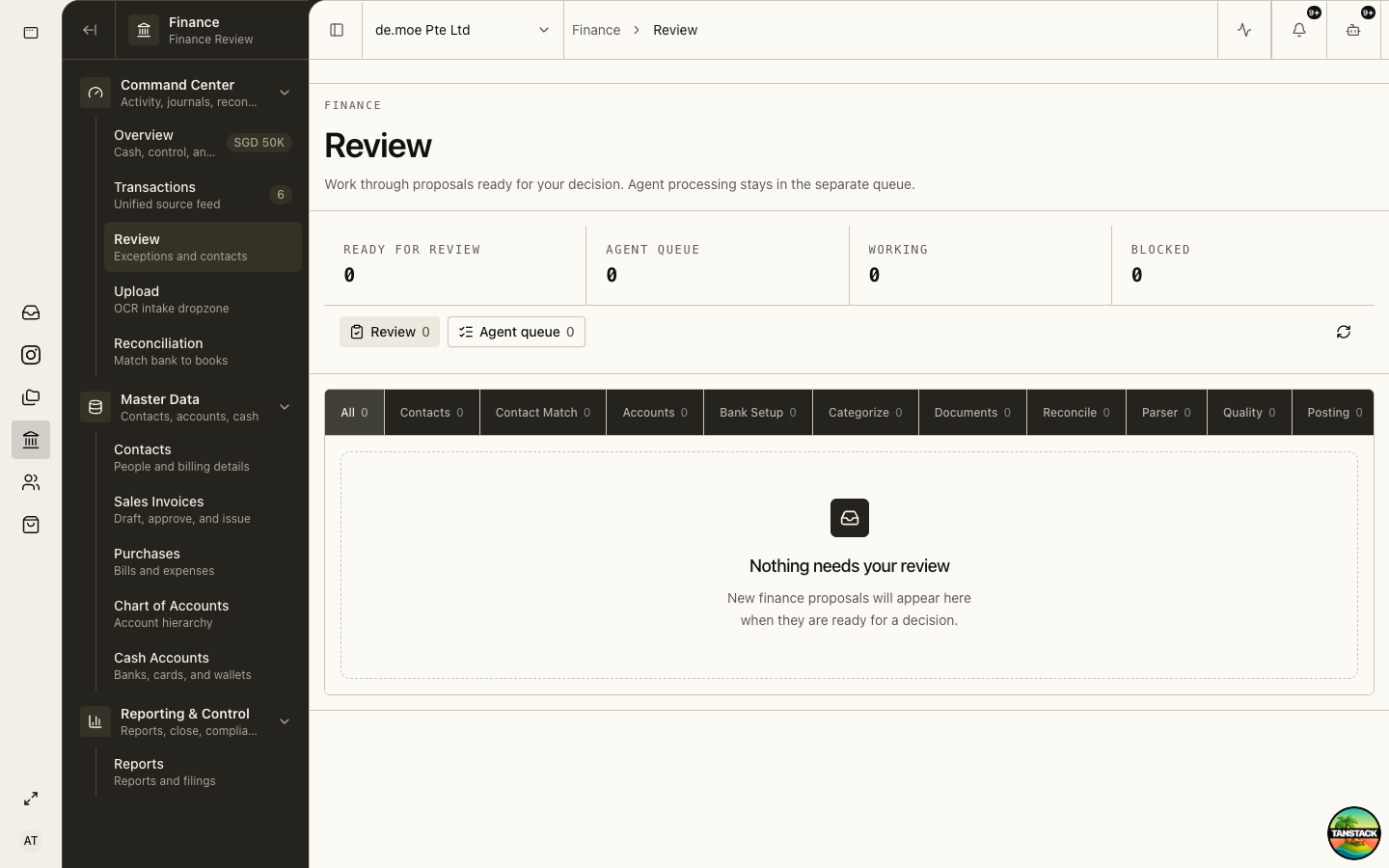
Clear Finance Review exceptions
Review contains transaction exceptions and contact decisions that need human judgment.
- Open Finance → Review.
- Choose the exception class and inspect the source evidence.
- Correct the proposal or return it with a specific reason.
- Approve only when the evidence, account, tax treatment, and counterparty agree.
- Post through the supported action after approval.
04
Reconcile bank and ledger activity
Reconciliation explains every bank movement using posted or intentionally outstanding records.
- Import the statement into the correct cash account and period.
- Open Finance → Reconciliation.
- Accept high-confidence matches only after verifying amount, date, and counterparty.
- Investigate duplicates, transfers, fees, split payments, and timing differences.
- Finish with documented outstanding items and a reviewed closing balance.
05
Correct posted entries without rewriting history
Posted journals are audit evidence. Use reversal and corrected entries.
- Open the posted journal or source transaction.
- Document the correction reason and supporting evidence.
- Create the supported reversal.
- Enter and approve the corrected transaction.
- Confirm both entries appear in the audit trail and period reports.
06
Close and prepare statutory outputs
Use Reports, GST, Filings, Corporate Tax, Statutory Pack, and Close & Compliance as a controlled sequence.
- Finish bank reconciliation, receivables/payables review, payroll posting, and exception clearance.
- Review GST workpapers and source tax documents.
- Confirm the entity’s GST InvoiceNow applicability and implementation date independently with IRAS.
- Produce the statutory pack and obtain the required review.
- Lock or mark the period closed according to organization policy.
The platform supports preparation and evidence. The organization remains responsible for filing eligibility, deadlines, declarations, and payment.
Troubleshooting
- OCR values are wrong: correct the draft against the original; do not modify the source file to fit the extraction.
- Reconciliation will not clear: inspect posted status, cash account, currency, date range, and duplicate imports.
- A posted error is found: reverse and replace; do not delete or edit ledger history.