
Run the employee lifecycle, rosters, and time
Move a person from onboarding through active employment, scheduling, attendance, exceptions, and offboarding with an intact record.
Who can do this
HR manager or organization admin
Primary route
/hr
Last verified
4 August 2026
- Approved employee identity and employment terms
- Department, work location, manager, schedule, and leave policy
- A role separating employee self-service from HR management
01
Create the employee once
Create or complete the employee record before inviting the user. The employee and login membership serve different purposes but must link to the same person.
- Open Human Resources → Employment Pipeline or Onboarding.
- Add the approved legal and employment details.
- Assign department, location, manager, employment type, and start date.
- Add payroll and statutory facts through the protected HR workflow.
- Invite the person using the same work email.
02
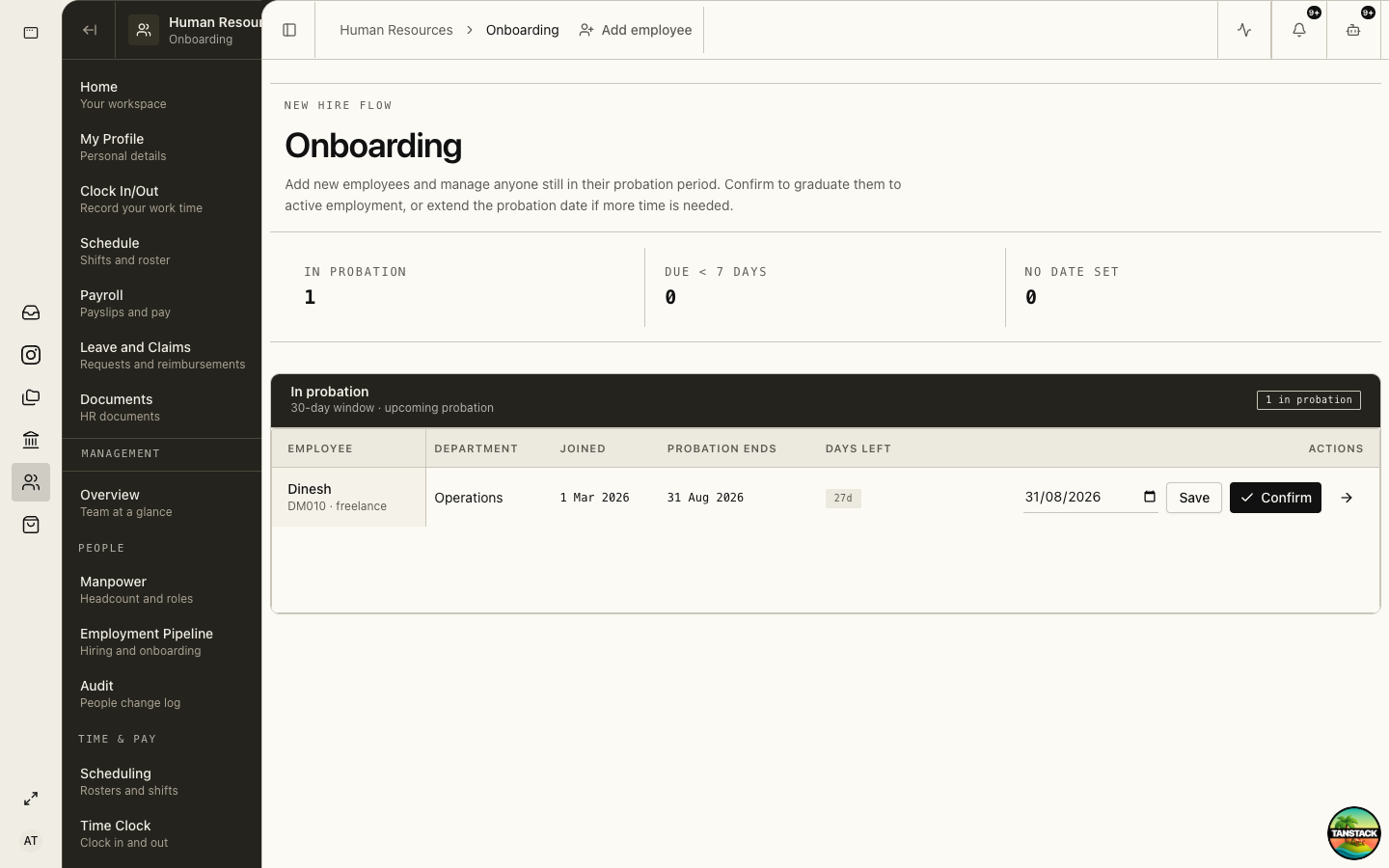
Manage onboarding and probation
Onboarding identifies new employees and people still in probation. Confirm or extend probation only with documented management evidence.
03
Build and publish the roster
Create recurring schedule patterns where practical, then assign exceptions without overwriting the base expectation.
- Open Human Resources → Scheduling.
- Select the week and confirm location or team scope.
- Assign shifts with start, end, breaks, and owner.
- Check coverage, overlaps, leave conflicts, and open shifts.
- Publish or communicate the final roster according to policy.
04
Review attendance and timesheets
Use Time Clock for live punches and Timesheets or HR Review for exceptions. Correct with a reason, not by silently replacing the original event.
05
Clear leave, claims, and absence exceptions
Review eligibility, balance, evidence, policy, manager decision, and payroll impact before approval.
06
Offboard without deleting history
Record the end date and reason, settle access and outstanding items, preserve required documents, and archive the employee after final payroll and handover.
Troubleshooting
- The employee cannot access Me: verify the work email matches the membership and the active organization.
- A roster conflicts with leave: resolve the approved leave first, then republish the shift assignment.
- A clock event is missing: capture employee evidence and use the correction workflow with a reason.