Understand the complete platform map
Know which module owns each kind of work, where records begin, and where completion must be verified.
Who can do this
Organization owner or admin
Primary route
/dashboard
Last verified
4 August 2026
01
Start with the record, not the notification
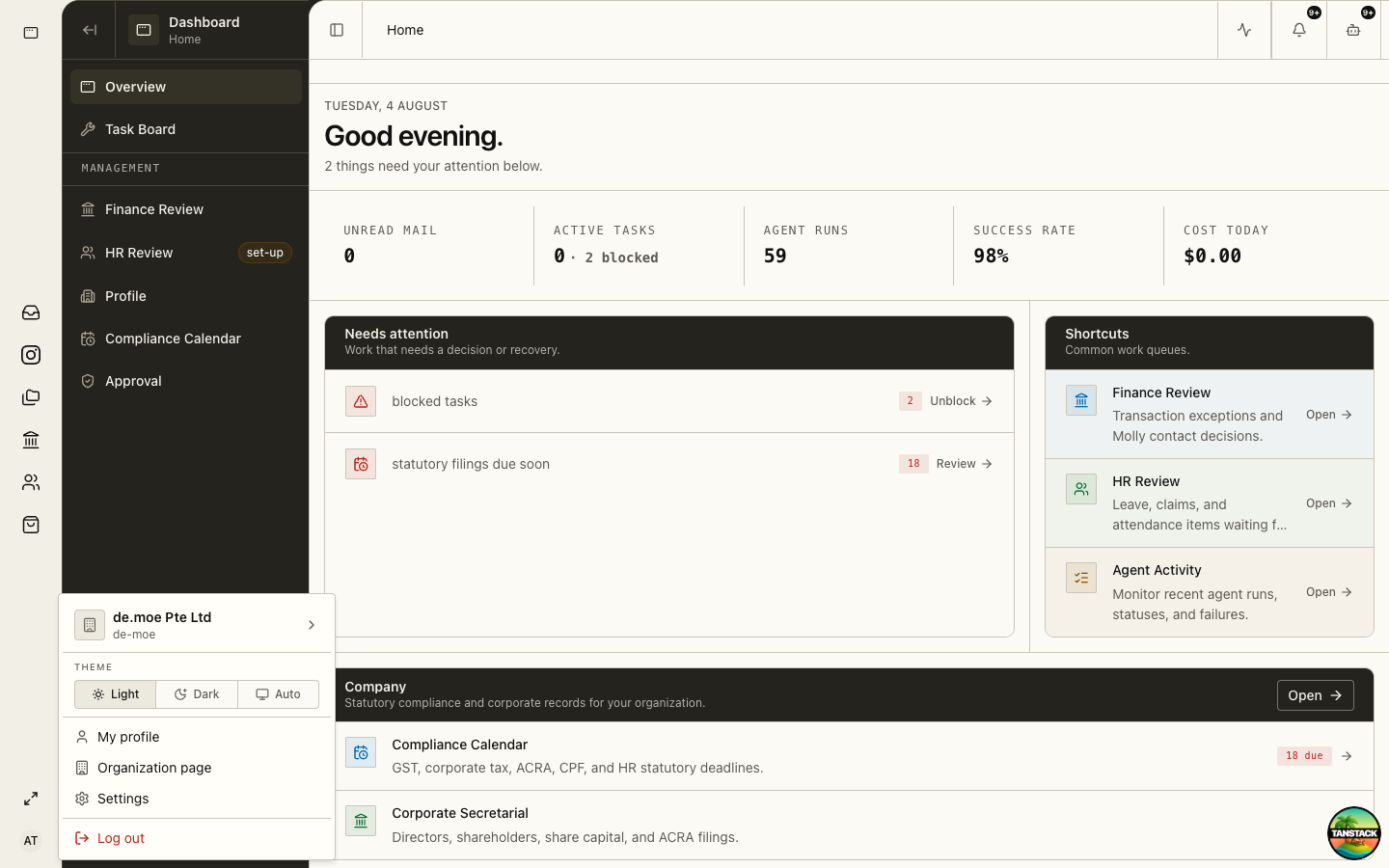
Dashboard, notifications, the assistant, and email can point to work. The owning module remains the place where you inspect facts and confirm completion.
- Dashboard: cross-module attention, recent activity, and management shortcuts.
- Task Board: owned follow-up work with priority and lane state.
- Approval: consequential agent proposals awaiting an administrator decision.
- Inbox and Channel: email and social conversations.
- Storage: source files, folders, repository taxonomy, and version lineage.
02
Use the operating modules
Each operating module owns a distinct business record and lifecycle.
- Finance: documents, contacts, invoices, purchases, accounts, bank activity, reconciliation, reports, filings, and close.
- Human Resources: people, employment, rosters, time, leave, claims, payroll, documents, and HR audit.
- Store: catalog, content, orders, shipping, promotions, loyalty, affiliates, and payouts.
- Events: enquiry-to-wrap-up pipeline, calendar, templates, vendors, registration, and attendee operations.
- Booking: appointment types, resources, schedules, check-in, queues, and service completion.
- Seaforge: reusable web pages, documents, emails, decks, and animations.
03
Use organization control surfaces
Profile, Compliance Calendar, and Organization Settings control shared identity, access, integrations, and statutory readiness.
- Profile stores legal entity identity such as name, UEN, and address.
- Compliance Calendar tracks obligations, due dates, evidence, and readiness.
- Organization Settings controls roles, billing, usage, Finance, HR, Store, email accounts, and API services.
04
Keep personal work in Me
Employees use Me for their own profile, clock, schedule, payroll, leave and claims, and HR documents. Manager work stays in Human Resources.
05
Verify completion in the owning module
A task marked Done or a notification dismissed does not prove that a payment, filing, shipment, message, or payroll action completed.
- Open the underlying record.
- Confirm the final business status and timestamp.
- Confirm any external reference, attachment, or delivery result.
- Review history when the action is sensitive or irreversible.
Troubleshooting
- A module is missing: confirm the organization subscription and the member’s role grants.
- A link redirects to Dashboard: switch to the correct organization and verify access.
- Two modules show different states: treat the owning module as authoritative and investigate the integration or posting history.