
Onboard Singapore government services
Prepare Corppass authority and connect ACRA, IRAS, CPF EZPay, and GovTech APEX without confusing agency approval with platform configuration.
Who can do this
Organization Admin plus the entity’s authorized Corppass roles
Primary route
/settings/organization/api-services
Last verified
4 August 2026
- An active Singapore entity and UEN
- A Corppass Admin or Sub-Admin
- A documented service purpose and authorized employee
- Agency approval or subscription where required
01
Separate authorization from configuration
The organization applies to the agency, accepts its terms, assigns authorized people, and remains responsible for submissions. The platform stores approved connection details and supports the workflow; it does not grant government authority.
02
Assign Corppass access
A Corppass Admin or Sub-Admin assigns the relevant digital service and any agency roles, parameters, or Sub-UENs.
- Identify the exact agency digital service required by the workflow.
- In Corppass, create or select the authorized user.
- Assign the service and its required agency role or parameter.
- Complete any additional agency check outside Corppass.
- Retain approval evidence, authorized person, and effective date.
“Access to all e-Services” does not bypass additional agency roles, parameters, Sub-UENs, or separate onboarding.
03
Subscribe through ACRA API Marketplace
ACRA API Marketplace manages subscriptions, applications, and usage for official entity information services. Corppass users under the same entity share the business account.
- Sign in to the ACRA API Marketplace with the authorized Corppass identity.
- Choose the required service: Entity Information Query, Financial Information Query, or trustBar Verification Query.
- Use the mock API before production where available.
- Create the application and obtain the Client ID, Client Secret, or API Key shown for the subscription.
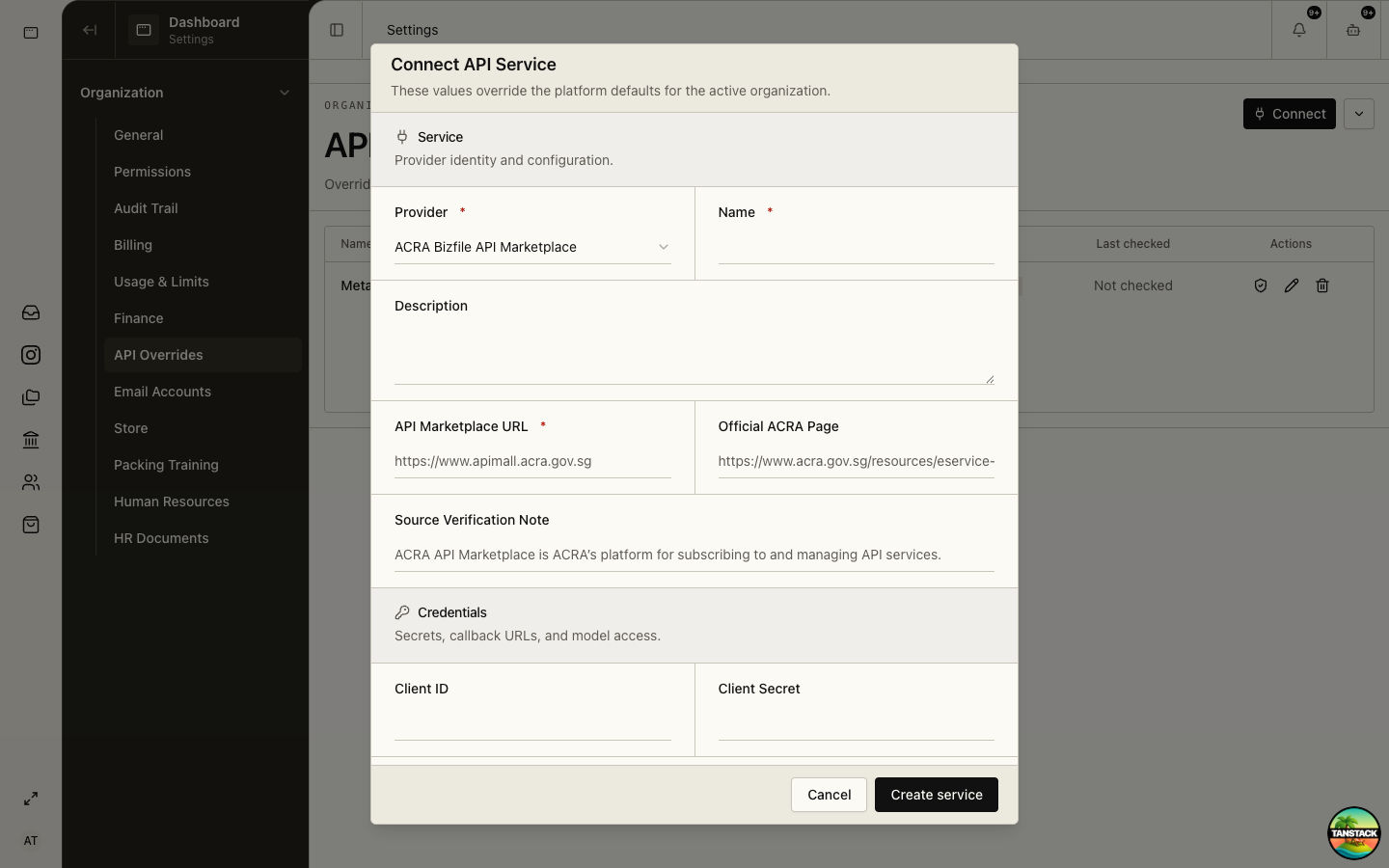
- In API Overrides choose ACRA Bizfile API Marketplace and enter the marketplace URL, official source URL, and issued credentials.
04
Register the IRAS application
Use the IRAS API Developer Portal to select a plan, register an application, inspect operations, and test APIs. AIS flows may also require APEX OAuth details and signing material.
- Browse the API or plan in the IRAS Developer Portal and confirm eligibility.
- Register an application and subscribe it to the required product plan.
- Test the operation in the portal using sandbox credentials.
- For AIS/APEX OAuth, register the exact redirect URI and public JWKS; keep the ES256 private key only in the platform vault.
- In API Overrides choose IRAS API Marketplace and complete environment, base URL, client credentials, API key, signing key ID, organization name, and private key fields that apply.
05
Prepare CPF EZPay
CPF EZPay requires Singpass and a CPF Submission Number. First-time UEN entities assign the CPF EZPay e-Service to authorized officers in Corppass.
- Apply for or confirm the organization’s CPF Submission Number.
- Assign CPF EZPay in Corppass to the authorized officer.
- Choose the submission method: CPF EZPay, Electronic Standing Instruction, or FTP based on the payroll workflow.
- Configure Direct Debit early or plan PayNow QR payment.
- In API Overrides choose CPF EZPay and record the official portal, submission mode, CSN, and FTP credentials only when FTP is used.
Expected result: The payroll team can prepare a contribution file or submission, while an authorized person still verifies and completes payment in the official channel.
06
Complete the production control check
Government sandbox success is not production authorization.
- Confirm the platform organization, UEN, agency account, and reporting period all match.
- Verify the authorized submitter and approver are current.
- Test retrieval or validation before attempting a live filing.
- Save the agency acknowledgement and platform audit evidence after submission.
Troubleshooting
- No agency application is visible: check the Corppass entity and the user’s assigned service.
- Sandbox works but production fails: confirm production approval, endpoints, keys, and registered redirect/JWKS.
- CPF submission is not complete: verify payment status in CPF EZPay; file preparation alone is not payment.