
Triage and reply from Inbox
Choose the correct mailbox, read the full thread, compose safely, confirm delivery, and use folders without losing team ownership.
Who can do this
A member with Inbox access
Primary route
/inbox
Last verified
4 August 2026
01
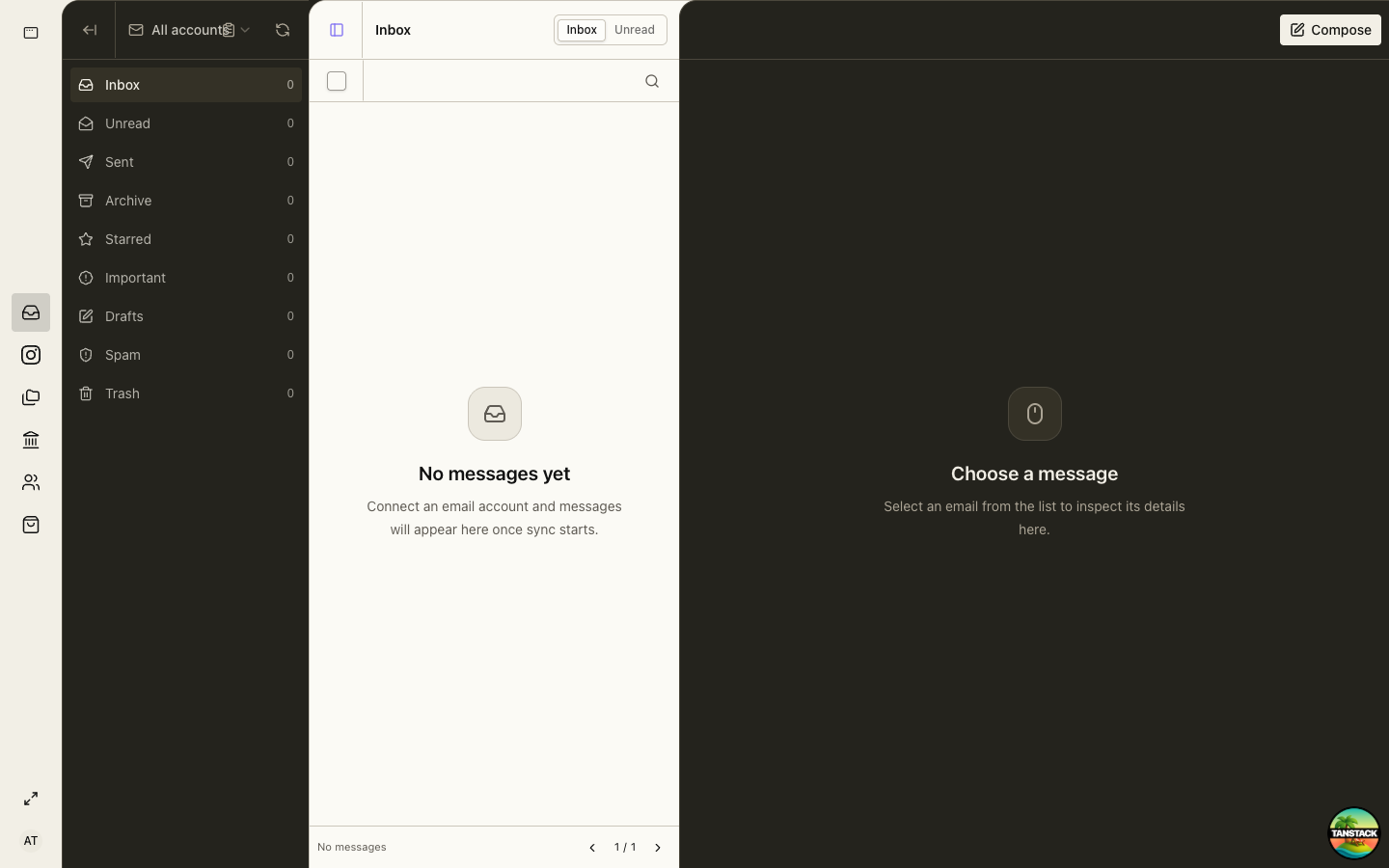
Choose the mailbox and folder
Confirm the account switcher before reading or sending. Use Inbox and Unread for active triage, Sent for delivery confirmation, and Archive for completed conversations.
02
Read the complete thread
Verify sender, recipients, dates, attachments, earlier replies, and any linked customer or business record.
03
Reply or compose
Use the approved sending identity and tone. Confirm recipients and attachments before sending.
Do not email API secrets, passwords, government login credentials, or unnecessary payroll and identity data.
04
Confirm the result
After sending, open Sent and verify the message, recipients, timestamp, and attachments. Then archive or leave the thread active according to ownership.
Troubleshooting
- Messages are missing: confirm account, folder, filters, organization, and sync state.
- Send fails: keep the draft and report the mailbox plus timestamp; do not repeatedly submit.
- You sent from the wrong mailbox: notify the process owner and correct the customer context transparently.