
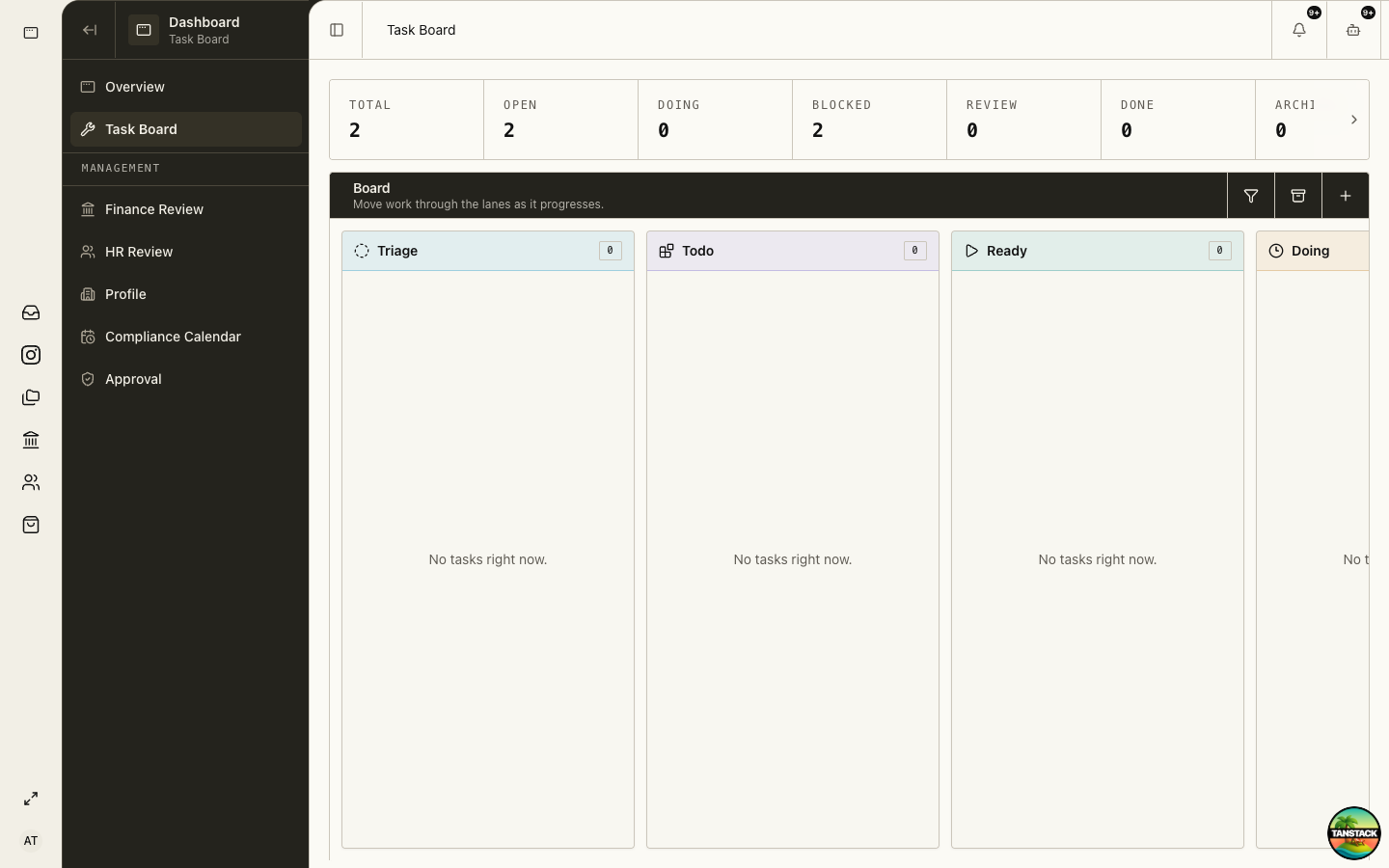
Own and complete work on Task Board
Find assigned work, understand lane meaning, record blockers, request review, and verify the underlying result before marking Done.
Who can do this
Any member with Task Board access
Primary route
/task-board
Last verified
4 August 2026
01
Find and understand your work
Open the task, read its owner, priority, notes, acceptance criteria, linked record, and history before moving it.
02
Start only when the task is ready
Move Ready to Doing when prerequisites and evidence are present. If something is missing, record the blocker and responsible person.
03
Leave useful progress
Record decisions, references, handoffs, and changed deadlines. Do not paste credentials or unnecessary personal data.
04
Request review
Move to Review when the work meets its acceptance criteria and the reviewer can reproduce the result from the linked record.
05
Mark Done after verification
Confirm the owning module shows the required final state. A finished draft, queued message, or approved proposal may still require execution.
Troubleshooting
- You cannot edit or move the task: verify ownership and ask the admin to review your grant.
- The task is blocked: name the missing input, owner, request date, and affected deadline.
- The underlying record is missing: do not recreate it until the owner confirms it does not already exist.